CSS Polyfills
Jason Johnston
@lojjic, @css3pie
http://lojjic.github.com/css-summit-polyfills


Whoziwhutzit?
Also known as:
shim, shiv, patch, hack
Term “polyfill” coined by Remy Sharp:
a piece of code (or plugin) that provides the technology that you, the developer, expect the browser to provide natively
Polyfill

FILL: fills in missing standard features or APIs when not natively available
POLY: can use multiple fallbacks depending on the browser and environment
Why are they needed?

“OldIE”
...but also newer browsers, to keep up with the pace of new features.
Wait a minute...
Don't most libraries smooth out browser incompatibilities?
Abstraction
You use standard code, not new APIs
Goal is to be invisible
Ultimate goal is to become obsolete
Reasons To Use A Polyfill
- Expand your audience
- Speed up development time
- More time available for better things
- Only have to learn one API
- Smaller, simpler codebase
- Stop hurting capable browsers!

http://modernizr.com
- Not a polyfill!
- Makes polyfills easier to use
- Extensive feature detection library
- Includes YepNope (http://yepnopejs.com)
<html class="js no-flexbox no-flexbox-legacy no-canvas no-canvastext
 no-webgl no-touch no-geolocation postmessage no-websqldatabase
 no-indexeddb hashchange no-history draganddrop no-websockets
 no-rgba no-hsla no-multiplebgs no-backgroundsize no-borderimage
 no-borderradius no-boxshadow no-textshadow no-opacity
 no-cssanimations no-csscolumns no-cssgradients no-cssreflections
 no-csstransforms no-csstransforms3d no-csstransitions fontface
 generatedcontent no-video no-audio no-localstorage
 no-sessionstorage no-webworkers no-applicationcache no-svg
 no-inlinesvg no-smil no-svgclippaths">
- Many CSS3 features detected
- Allows progressive enhancement, conditional polyfill fine-tuning

Conditional loading of polyfill scripts
Modernizr.load([{
    test: Modernizr.flexbox,
    nope: '/polyfills/flexie/flexie.js'
}, ... ]);
Most CSS polyfills have their own way of doing this
Also from the Modernizr community:
The All-In-One Entirely-Not-Alphabetical No-Bullshit Guide to HTML5 Fallbacks
http://bit.ly/polyfills
Things Polyfills Do
- HTML5 Elements
- JavaScript Language Features
- HTML5 JavaScript APIs
- CSS Selectors
- CSS Vendor Prefixes
- CSS Rendering - box decorations, layout, transforms, etc.
Ways CSS Polyfills Work
1. Client-side CSS Parsing/Rewriting
- For when CSS is not recognized by the browser
- Advanced selectors
- Media queries
- Prefix insertion
- CSS fetched via XHR — same-domain limitation
- Parsed via RegExp, rewritten, and original stylesheet replaced with new
- Processing time grows with size of CSS
Ways CSS Polyfills Work
2. Server-side CSS Parsing/Rewriting
- Some of the same scenarios as client-side
- No extra client-side processing time
- Limited by no access to the runtime environment
- Conditionally load CSS to avoid hurting capable browsers
Ways CSS Polyfills Work
3. DOM Querying
- DOM is traversed looking for certain elements/attributes, then modified
- Often used along with client-side CSS parsing
- Must wait for document ready
- Best for static content, difficult responding to dynamic DOM changes
Ways CSS Polyfills Work
4. IE Behaviors (.htc)
- Script attached to elements via CSS "behavior" property
- IE only!
- Responds automatically to insertion/deletion of content
- Acts when element is ready, doesn't have to wait for whole document
- Gotchas: same-domain limitation, content-type header, path relative to HTML file
- Processing time grows with number of matching DOM elements
Ways CSS Polyfills Work
4. IE Behaviors (.htc)
.my-selector {
    behavior: url(polyfill.htc);
}
<PUBLIC:COMPONENT lightWeight="true">
<PUBLIC:ATTACH EVENT="oncontentready" FOR="element" ONEVENT="init()" />
<PUBLIC:ATTACH EVENT="ondocumentready" FOR="element" ONEVENT="init()" />
<PUBLIC:ATTACH EVENT="ondetach" FOR="element" ONEVENT="cleanup()" />

<script type="text/javascript">
//JS code
</script>

</PUBLIC:COMPONENT>
Let's explore a few...
html5shim / html5shiv

http://code.google.com/p/html5shiv/
- OldIE incorrectly parses unknown elements:
<section>
    <p>...</p>
</section>
becomes
<section></section>
<p>...</p>
- ...unless you
createElement it!
document.createElement('section');
- Also fixes printing and adds default HTML5 element styles
<!--[if lt IE 9]>
<script src="/polyfills/html5shiv.js"></script>
<![endif]-->

Selectivizr
http://selectivizr.com/
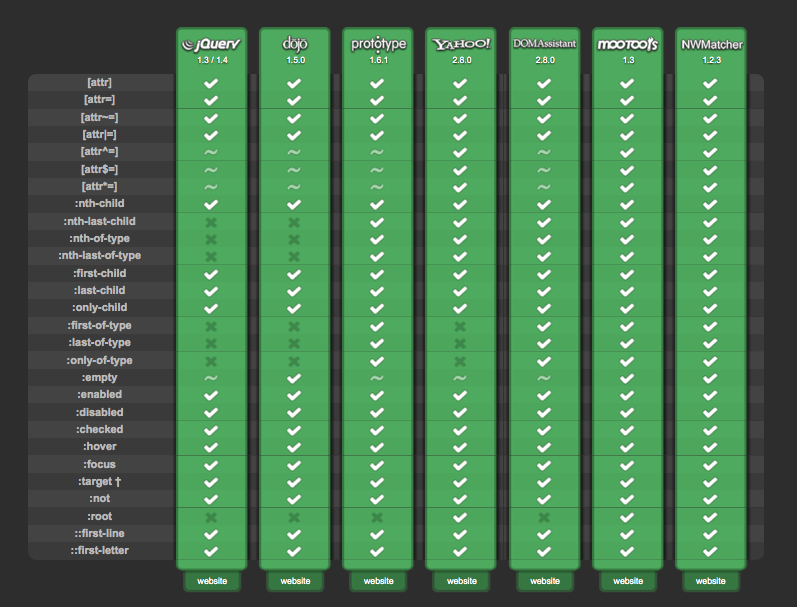
- Parses CSS files for wide range of selectors
- Queries document for elements matching those selectors
- Uses one of many external JavaScript selector libraries
- Runs on document ready, not dynamic

-prefix-free
http://leaverou.github.com/prefixfree/
- Polyfill for modern browsers, does nothing in OldIE
- Fills in vendor-prefixed CSS3 property names and values so you don't have to
- Translates final CSS3 gradient syntax to old ones
- Loads stylesheets via XHR — same-domain limitation
Respond.js
https://github.com/scottjehl/Respond
- Adds support for min/max-width based CSS media queries back to IE6
- Lightweight, no external dependencies
Flexie
http://flexiejs.com/
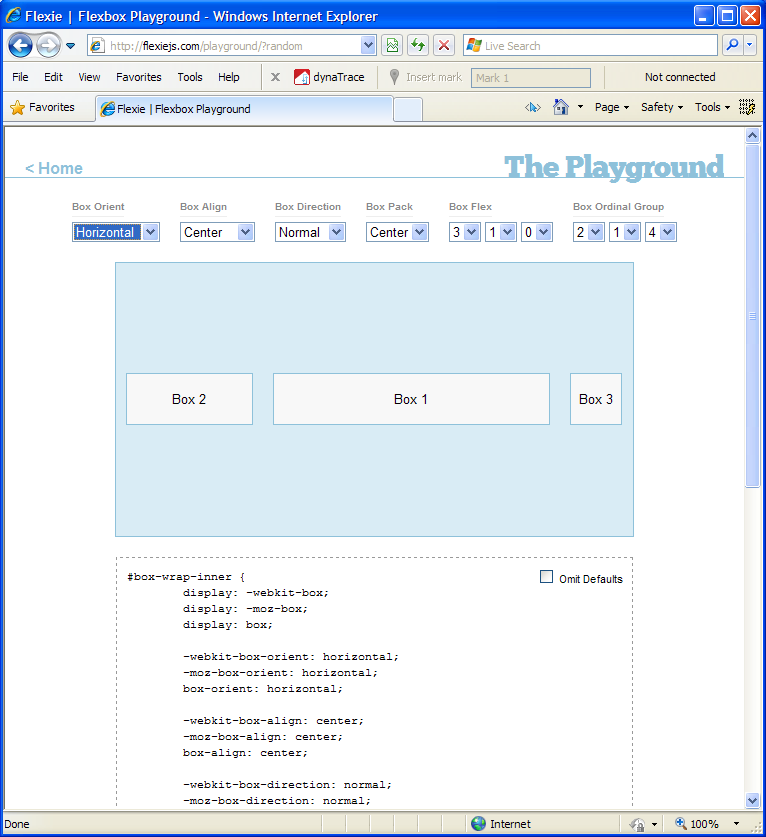
- Implements CSS3 flexible box model in IE and Opera
- Matches the old spec not the new
- Uses Selectivizr's engine for parsing the CSS and querying for matching elements

CSS Sandpaper
https://github.com/zoltan-dulac/cssSandpaper
- Maps CSS3 properties to IE filters
transformbox-shadowlinear-gradienttext-shadowopacity
- Slightly non-standard code (
-sand-box-shadow etc.)
- Some filters do not render accurately
CSS3 PIE
http://css3pie.com/
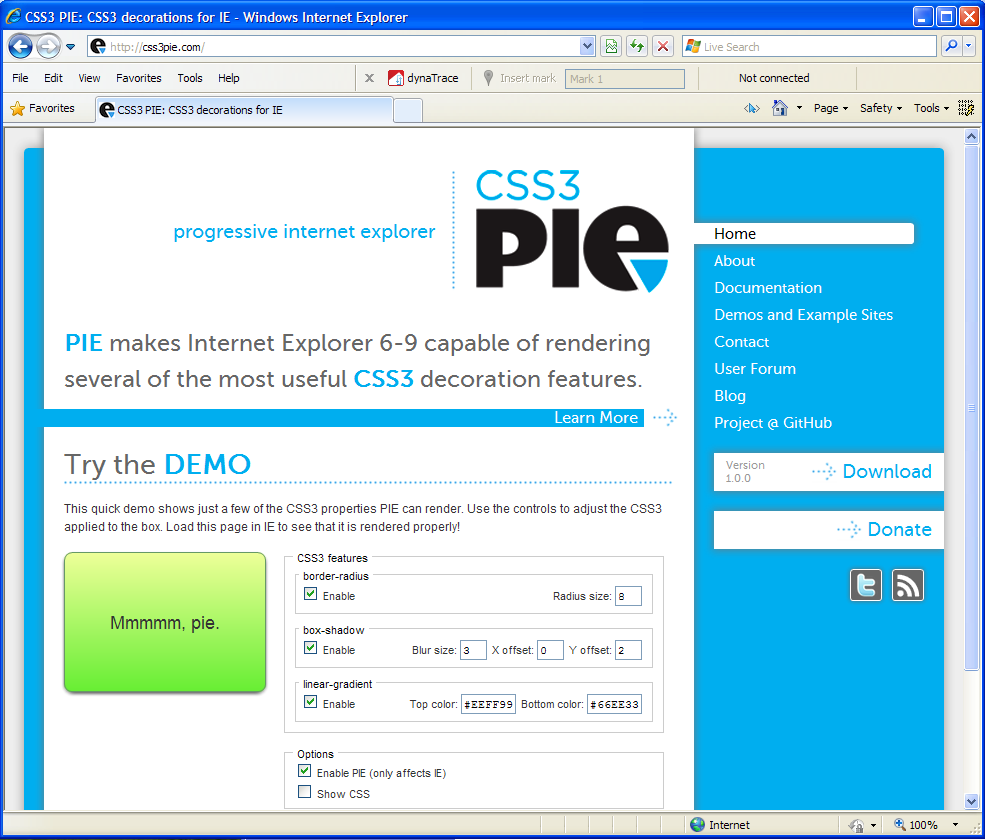
- Renders several CSS3 box decoration properties in IE 6-9:
- border-radius
- box-shadow
- border-image
- linear-gradient backgrounds
- multiple backgrounds
- IE .htc behavior, or optional JS file
- Renders using VML in OldIE, SVG in IE9
The big question
Q: Should I use a polyfill?
A: It depends.
Considerations
- Browser stats of target audience
- System speed of target audience
- Performance impact of the polyfill
- Performance impact of not using the polyfill
- Compatibility of multiple polyfills
- Debugging time
- How necessary are the features?
Graceful Degradation
- Usually the best choice, but not always an option.
- Don't forget the graceful part!
- What will users do if their experience is degraded?
- Users don't switch browsers, they switch sites.
Decisions, decisions...
1. “Is graceful degradation acceptable, or can I convince the necessary parties to allow it?”
YES? Great, do it!
NO? ...
Decisions, decisions...
2. “Would making my design work in all browsers require sending nonstandard or hacky markup, extra images, or dumbed-down code to modern browsers?”
NO? Then we're all good.
YES? Then consider using a polyfill...
Decisions, decisions...
3. “Would the polyfill create unacceptable performance or compatibility issues?”
NO? Yay! Polyfill FTW! :)
YES? Sorry, you're on your own. :(
Assessing Performance
Polyfill creators don't typically publish performance stats; it's up to you to measure.
Common Factors
- Most polyfills use JavaScript which will always be slower than native
- Old browsers are also those with the slowest JS / DOM / rendering engines
- Downloading polyfill code takes time; always check its size
Assessing Performance
Polyfills that rewrite CSS
- Usually fetch the CSS via XHR, might not be cached
- RegExp parsing can be slow
- Parsing time grows with size of the CSS file
- Original CSS might already have been parsed and applied by the browser
Assessing Performance
Polyfills that query the DOM
- IE < 8 does not have
querySelectorAll, must use JS traversal
- The larger the DOM the slower the query
- Reading certain properties (e.g.
offsetWidth) causes reflow
- Writing certain properties (e.g.
className) causes reflow
Assessing Performance
Polyfills that render
- Layout calculations can be intense
- The more things it has to render the slower the rendering
- Reading and writing to the DOM causes reflow
Compatibility Concerns
- Polyfills that modify the DOM can easily collide with other polyfills
- Other libraries that modify the DOM can easily create conflicts
- Polyfills that parse/rewrite CSS typically cannot be used together
- Using
!important in CSS means polyfills can't modify .style
Test, test, test!
In Conclusion,
- CSS polyfills can:
- Greatly reduce development time and effort
- Keep hacks out of capable browsers
- Improve overall user experience
- But you need to weigh the pros and cons.
- Graceful degradation is always the first choice.
- Polyfills will be with us long after OldIE is ancient history.
Thank you! Questions?
Jason Johnston
@lojjic, @css3pie